There’s nothing quite as disruptive as a flickering LED lamp, transforming your perfectly lit space into an irritating strobe-light show. While LED lighting is celebrated for its efficiency and longevity, this common annoyance can quickly sour the experience. You might wonder if it’s a sign of a dying bulb, an electrical fault, or something more complex. The good news is that most LED flickering issues have identifiable causes and straightforward solutions. As an expert with over a decade in lighting technology, I’m here to guide you through understanding why your LED lamp flickers and how to implement quick, effective fixes, ensuring your illumination remains steady and soothing.
Understanding LED Flickering: The Core Problem
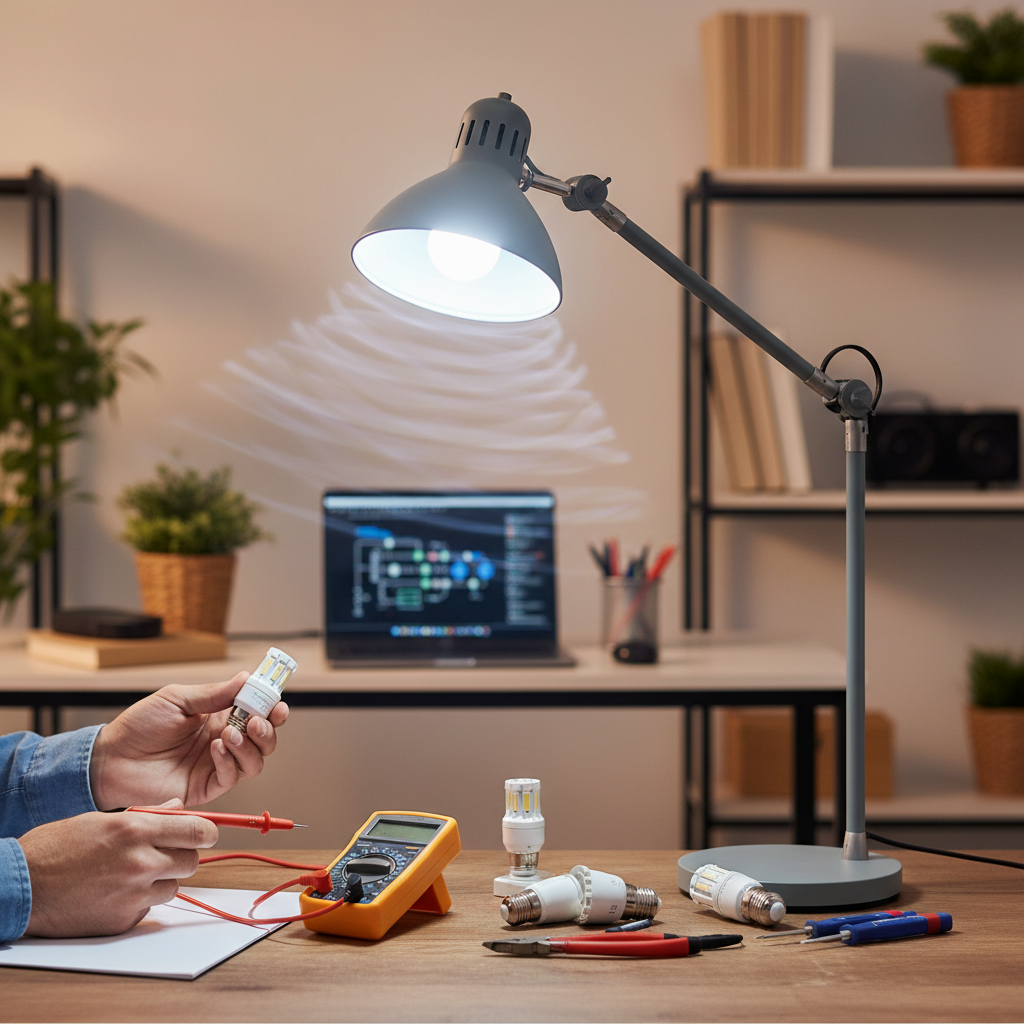
At its heart, LED flickering occurs when the electrical current supplied to the bulb is unstable or inconsistent. Unlike incandescent bulbs, which use a filament that retains heat (and thus light) during tiny power fluctuations, LEDs react almost instantaneously to changes in voltage. This makes them highly sensitive to even minor disruptions in the electrical flow. When the power supply isn’t perfectly smooth, your LED lamp can rapidly switch between on and off states, creating that noticeable flicker. This isn’t just an aesthetic issue; prolonged exposure to flickering lights can cause eye strain, headaches, and general discomfort.
Common Culprits: Why Your LED Lamp Flickers
Identifying the root cause is the first step toward a permanent fix. Here are the most common reasons your LED lamp might be flickering.
Incompatible Dimmer Switches and Non-Dimmable Bulbs
|
Our Picks for the Best Desk lamp in 2026
As an Amazon Associate I earn from qualifying purchases.
|
||
| Num | Product | Action |
|---|---|---|
| 1 | Micomlan Led Desk Lamp with Clamp, Architect Desk Lamp for Home Office with Atmosphere Lighting, 24W Ultra Bright Auto Dimming Computer Light Stepless Dimming and Tempering LED Table Light |

|
| 2 | 15W LED Desk Lamp with USB Charging Ports – Dimmable Table Lamp with 3 Color Temps, 5 Brightness, 4 Timers, Flexible Gooseneck Light with Base, Eye-Caring Reading Light for Home Office, Bedroom, Study |
|
| 3 | Fenmzee Bedside Table Lamp for Bedroom - 3 Way Dimmable Touch Lamp USB C Charging Ports and AC Outlet, Small Lamp Wood Base Round Flaxen Fabric Shade for Living Room, Desk, LED Bulb Included |
|
| 4 | BOHON LED Desk Lamp with USB Charging Port 3 Color Modes Dimmable Reading Light Intelligent Induction Auto Dimming Task Lamp Neck Flexible Table Lamp for Bedside Office, AC Adapter Include |
|
| 5 | Airlonv LED Desk Lamp for Office Home, Eye-Caring Desk Light with Stepless Dimming Adjustable Flexible Gooseneck, 10W USB Adapter Desk Lamp with Clamp for Reading, Study, Workbench (Black) |
|
| 6 | Sailstar Desk Lamp, LED Desk Lamps for Home Office, Wireless Charger Small Desk Lamp with Pen Holder, 3 Color Modes, Dimmable, CRI 85, 800LM, Study Lamps for College Dorm Room, Adapter Included, Black |
|
| 7 | Motumen Led Desk Lamp for Home Office, Eye-Care Architect Light with Clamp, Smart Double Head Computer Monitor Table Clip Lamp, Adjustable Flexible Goose-Neck, 25 Lighting Models, Task Lamp, Black |
|
| 8 | CHARYJOD LED Desk Lamp for Office Home, Height Adjustable Architect Desk Light with USB Adapter, Stepless Dimming Desk Lamp Light for Reading, Study, Workbench |
|
| 9 | LED Desk Lamp with USB Ports,Touch Desk Lamps for Home Office with 5 Color Modes,3 Brightness Desk Light with Small Night Light,Reading Lamp Table Lamp for Bedroom Bedside Study Black (with adapter) |
|
| 10 | Voncerus LED Desk Lamp with Clamp, Eye-Caring Clip on Lights for Home Office, 3 Modes 10 Brightness, Long Flexible Goose-Neck, Metal, Swing Arm Architect Task Table Lamps with USB Adapter, Black |
|
One of the most frequent culprits behind LED flickering is an incompatible dimmer switch. Many homes still use older dimmers designed for incandescent bulbs, which require a much higher wattage load to function correctly. LEDs, with their significantly lower power consumption, don’t always meet this minimum load, leading to erratic behavior like flickering, buzzing, or an inability to dim smoothly.
Moreover, not all LED bulbs are designed to be dimmable. Attempting to dim a non-dimmable LED will almost certainly result in flickering, as the bulb’s internal circuitry isn’t equipped to handle fluctuating voltage.
Loose Connections and Faulty Wiring
Sometimes, the simplest explanation is the right one. A loose LED bulb in its socket can cause intermittent contact, leading to a frustrating flicker. Dust or corrosion within the socket can also impede a stable connection. Beyond the bulb itself, loose wiring at the light fixture, wall switch, or within the electrical circuit can disrupt power flow. While often an easy fix, faulty wiring can sometimes indicate a more serious underlying electrical issue that warrants professional attention.
Low-Quality LED Bulbs or Faulty Drivers
The performance of an LED lamp heavily relies on its internal component known as the driver. The LED driver’s job is to convert the incoming alternating current (AC) from your home’s electrical system into the direct current (DC) that LEDs need to operate consistently. A low-quality or faulty driver, often found in cheaper LED bulbs, may struggle to maintain a stable current, resulting in visible flickering. Investing in reputable brands often means better-quality drivers designed for flicker-free operation.
Electrical System Issues: Voltage Fluctuations & Overloaded Circuits
Your home’s electrical system, and even the external power grid, can be a source of flickering. Voltage fluctuations – sudden dips or surges in the electrical supply – can momentarily starve your LEDs of consistent power. This can happen due to problems with the utility grid or from large appliances like refrigerators or air conditioners drawing significant power on the same circuit. An overloaded circuit, where too many devices are connected and drawing power simultaneously, can also cause voltage instability and flickering.
Incompatible Transformers (for Low-Voltage LED Systems)
For low-voltage LED lighting systems, such as those using MR16 bulbs or strip lights, an external transformer is required. If you’ve replaced older halogen bulbs with LEDs but kept the original transformer, you might encounter flickering. Older transformers were designed for higher wattage halogen loads. Modern low-wattage LEDs often “under-load” these transformers, causing them to operate inefficiently or inconsistently, leading to flicker.
Residual Current & Smart Switches (Off-State Flickering)
Have you ever noticed your LED lamp faintly glowing or briefly flickering even after you’ve turned it off? This “off-state” or “ghosting” flicker is often caused by residual current in the circuit. This can be more common with smart switches, which might draw a tiny amount of power to maintain their smart functionality, or in circuits with capacitive coupling or night lights. The minute current isn’t enough to fully light the LED but can cause a faint, intermittent glow.
Overheating Issues
LEDs are highly efficient, but they do generate some heat, which must be properly dissipated to maintain performance and lifespan. If an LED bulb is enclosed in a fixture that doesn’t allow for adequate airflow, or if the bulb itself has poor thermal management, it can overheat. This excessive heat can degrade the internal components, including the driver, and lead to inconsistent operation and flickering.
Quick Fixes to Stop the Flicker
Now that you understand the potential causes, let’s explore actionable solutions you can implement. Always prioritize safety: if you’re uncomfortable with electrical work, consult a licensed electrician.
Step 1: Start Simple – Check the Bulb and Socket
- Tighten the Bulb: Carefully turn off the power to the light fixture, then gently tighten the LED bulb in its socket. A loose connection is a surprisingly common cause.
- Clean the Socket: With the power off, inspect the socket for any dust, debris, or corrosion. Gently clean it with a dry cloth or a cotton swab.
- Swap Bulbs: If tightening doesn’t work, try replacing the flickering LED with a new, known good LED bulb. This helps determine if the issue is with the bulb itself or the fixture/circuit.
Step 2: Assess Your Dimmer Switch
- Check Compatibility: If your LED lamp is on a dimmer, verify that both the LED bulb and the dimmer switch are specifically labeled as “dimmable” and “LED compatible,” respectively.
- Upgrade Your Dimmer: If you have an older, incandescent-only dimmer, upgrading to a modern LED-compatible dimmer is often the most effective solution for dimmable LEDs. These dimmers are designed to handle the low wattage of LEDs and provide a smoother dimming range.
- Remove Dimmer: As a test, try replacing the dimmer switch with a standard on/off switch to see if the flickering stops. If it does, the dimmer is definitely the issue.
Step 3: Replace or Upgrade LED Bulbs
- Choose Quality: If your bulbs are older or generic, consider replacing them with high-quality LED bulbs from reputable manufacturers. Look for terms like “flicker-free” or “high-CRI” (Color Rendering Index), which often indicate better internal drivers.
- Match Low-Voltage Transformers: For low-voltage LED setups, replace old halogen transformers with dedicated LED-compatible transformers that can handle lower wattages.
Step 4: Troubleshoot Your Electrical Circuit
- Reduce Load: If flickering occurs when large appliances turn on, try redistributing devices across different circuits or reducing the overall load on the affected circuit.
- Check for Residual Current: For off-state flickering, ensure your smart switches are fully compatible with your LED lighting. In some cases, a qualified electrician might install a “snubber” or load resistor to absorb residual current.
- Inspect for Overheating: Ensure your light fixtures allow for adequate ventilation around the LED bulbs. If a bulb feels excessively hot to the touch (after being on for a while and safely removed), it might be overheating.
Step 5: Consider Professional Help
If you’ve tried the simpler fixes and the flickering persists, especially if it affects multiple lights, seems to originate from the main electrical panel, or if you suspect faulty wiring, it’s time to call a licensed electrician. They can safely inspect your home’s wiring, circuits, and power supply to diagnose and resolve more complex issues, ensuring both your lighting and your home’s safety.
Preventing Future LED Flickering
Preventing flicker is often easier and more cost-effective than constantly troubleshooting it.
- Invest in Quality Components: Always opt for LED bulbs and dimmer switches from reputable brands that explicitly state LED compatibility. Look for certifications that indicate quality and performance.
- Understand Your Needs: Before purchasing, consider whether you need dimmable lights and ensure all components (bulbs, fixtures, dimmers) are designed to work together seamlessly.
- Maintain Your Electrical System: Regular checks by an electrician can ensure your home’s wiring and circuits are up to date and functioning optimally, preventing issues like voltage fluctuations or overloaded circuits.
- Proper Installation: If you’re undertaking a new lighting project, ensure that all components are installed correctly and that any specific wattage or load requirements are met.
“A stable light source is not just about aesthetics; it profoundly impacts our visual comfort and well-being. Prioritizing quality and compatibility in your LED lighting choices is an investment in a healthier, more productive environment.”
Conclusion
Flickering LED lamps, while frustrating, are rarely a mystery without a solution. By systematically checking for common issues—from an ill-fitting bulb to an incompatible dimmer or deeper electrical concerns—you can often restore steady, comfortable illumination to your space. Remember, modern LED technology offers incredible benefits, but it sometimes requires a modern approach to installation and troubleshooting. Don’t let a flickering light diminish your experience; empower yourself with these quick fixes and smart choices. When in doubt, a professional electrician is always your best resource for a safe and lasting solution. What steps will you take today to banish the flicker from your LED lighting?
Câu Hỏi Thường Gặp
What are the main reasons LED lights flicker?
LED lights primarily flicker due to unstable power supply. Common causes include incompatible dimmer switches, loose bulb connections, faulty internal drivers in the LED bulb, voltage fluctuations in the electrical system, or overloaded circuits. Each factor disrupts the consistent flow of electricity required by sensitive LEDs.
Can an old dimmer switch cause new LED lights to flicker?
Yes, absolutely. Older dimmer switches were designed for traditional incandescent bulbs that draw higher wattage. When paired with low-wattage LED lights, these dimmers often cannot regulate the power effectively, leading to visible flickering, buzzing, or an inability to dim properly. Upgrading to an LED-compatible dimmer is usually the solution.
Is flickering LED light dangerous?
While minor, infrequent flickering usually isn’t immediately dangerous, it can be a symptom of underlying electrical issues like loose wiring or overloaded circuits, which pose safety risks. Prolonged exposure to flickering lights can also cause eye strain, headaches, and general discomfort, impacting well-being.
How can I tell if my LED bulb is dimmable?
Look for clear labeling on the LED bulb’s packaging or on the bulb itself. Dimmable LED bulbs will explicitly state “dimmable” or display a dimming symbol. If there’s no such indication, assume the bulb is non-dimmable, and using it with a dimmer switch will likely cause flickering or damage.
Should I call an electrician for flickering LED lights?
If you’ve tried basic troubleshooting like checking the bulb, cleaning the socket, and ensuring dimmer compatibility, and the flickering persists or seems to affect multiple lights/circuits, it’s advisable to call a licensed electrician. They can safely diagnose and repair complex electrical issues like faulty wiring or power supply problems.
Why do my LED lights flicker even when turned off?
This “off-state” or “ghosting” flicker typically occurs due to residual current in the circuit. It’s common with smart switches, which might draw a small amount of power to maintain their functionality, or in circuits with certain types of wiring or appliances. This minute current is often just enough to cause a faint, intermittent glow in the sensitive LED.