In our increasingly digital world, many of us spend countless hours in front of screens, leading to digital eye strain, fatigue, and a cluttered workspace. A monitor light bar offers an elegant solution, illuminating your desk without contributing to screen glare. Among the many options, the Baseus i-Wok Series Monitor Light Bar stands out for its balance of features and affordability. But does it truly deliver on its promises to enhance your workspace and protect your eyes? This in-depth review explores its design, functionality, performance, and overall value, helping you decide if it’s the right addition to your setup.
Sleek Design and Effortless Installation
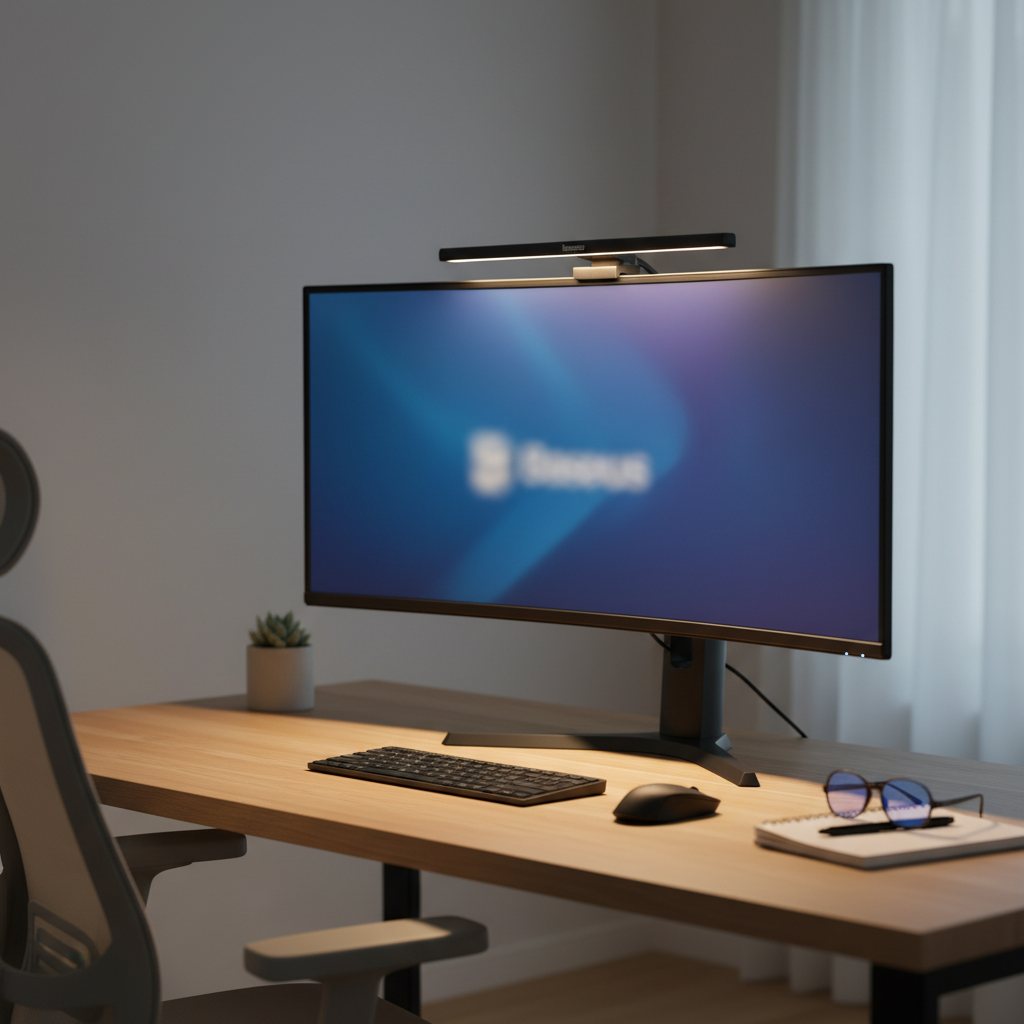
The Baseus i-Wok Series Monitor Light Bar boasts a minimalist and modern aesthetic, featuring an aluminum body that feels sturdy and well-built. Its sleek, low-profile design seamlessly integrates with most monitor setups, adding functionality without visual bulk. The bar itself is approximately 18 inches (450mm) long, suitable for a range of monitor sizes, including 27-inch displays.
Installation is straightforward, utilizing a robust spring-loaded clamp with soft rubber padding to protect your monitor from scratches. Power is supplied via a convenient 5-foot USB-C cable, allowing you to plug it directly into your computer, a USB hub, or a wall adapter. This simple setup means no extra desk space is consumed by a traditional lamp base, keeping your area tidy.
However, a crucial consideration for potential buyers is monitor compatibility. The Baseus i-Wok is designed for screens with a thickness between 0.3 to 0.8 inches (8-20mm). Users with thicker monitors, especially those with curved backs, integrated USB hubs, or specific iMac/Dell models, have reported difficulties in achieving a stable and flush mount. It’s essential to measure your monitor’s thickness before purchasing to ensure a proper fit. Additionally, depending on your monitor and webcam placement, the light bar might obstruct an overhead webcam.
Illuminating Features for Optimal Vision
The core of the Baseus i-Wok’s appeal lies in its intelligent lighting features, engineered to provide comfortable and effective illumination.
Asymmetrical Lighting Design
|
Our Picks for the Best Desk lamp in 2026
As an Amazon Associate I earn from qualifying purchases.
|
||
| Num | Product | Action |
|---|---|---|
| 1 | Motumen Led Desk Lamp for Home Office, Eye-Care Architect Light with Clamp, Smart Double Head Computer Monitor Table Clip Lamp, Adjustable Flexible Goose-Neck, 25 Lighting Models, Task Lamp, Black |

|
| 2 | Sailstar Desk Lamp, LED Desk Lamps for Home Office, Wireless Charger Small Desk Lamp with Pen Holder, 3 Color Modes, Dimmable, CRI 85, 800LM, Study Lamps for College Dorm Room, Adapter Included, Black |
|
| 3 | LED Desk Lamp with USB Ports,Touch Desk Lamps for Home Office with 5 Color Modes,3 Brightness Desk Light with Small Night Light,Reading Lamp Table Lamp for Bedroom Bedside Study Black (with adapter) |
|
| 4 | 15W LED Desk Lamp with USB Charging Ports – Dimmable Table Lamp with 3 Color Temps, 5 Brightness, 4 Timers, Flexible Gooseneck Light with Base, Eye-Caring Reading Light for Home Office, Bedroom, Study |
|
| 5 | Voncerus LED Desk Lamp with Clamp, Eye-Caring Clip on Lights for Home Office, 3 Modes 10 Brightness, Long Flexible Goose-Neck, Metal, Swing Arm Architect Task Table Lamps with USB Adapter, Black |
|
| 6 | BOHON LED Desk Lamp with USB Charging Port 3 Color Modes Dimmable Reading Light Intelligent Induction Auto Dimming Task Lamp Neck Flexible Table Lamp for Bedside Office, AC Adapter Include |
|
| 7 | CHARYJOD LED Desk Lamp for Office Home, Height Adjustable Architect Desk Light with USB Adapter, Stepless Dimming Desk Lamp Light for Reading, Study, Workbench |
|
| 8 | Micomlan Led Desk Lamp with Clamp, Architect Desk Lamp for Home Office with Atmosphere Lighting, 24W Ultra Bright Auto Dimming Computer Light Stepless Dimming and Tempering LED Table Light |
|
| 9 | Airlonv LED Desk Lamp for Office Home, Eye-Caring Desk Light with Stepless Dimming Adjustable Flexible Gooseneck, 10W USB Adapter Desk Lamp with Clamp for Reading, Study, Workbench (Black) |
|
| 10 | Fenmzee Bedside Table Lamp for Bedroom - 3 Way Dimmable Touch Lamp USB C Charging Ports and AC Outlet, Small Lamp Wood Base Round Flaxen Fabric Shade for Living Room, Desk, LED Bulb Included |
|
The most significant feature is its asymmetrical light projection. This design ensures that light is directed downwards onto your desk and keyboard, illuminating your physical workspace without shining directly onto your monitor screen. This eliminates screen glare and reflections, a common source of eye discomfort and fatigue. The result is a well-lit desk area that supports focused work and reading, even in dimly lit rooms.
Adjustable Color Temperature
The Baseus i-Wok allows you to customize the light’s color temperature, offering a range from a warm 2800K to a cool 5500K. This versatility enables you to select the ideal ambiance for different tasks and times of day. Warmer tones (around 2800K-3000K) are often preferred for relaxed evening work or reading, promoting a cozy atmosphere, while cooler tones (around 5000K-5500K) mimic natural daylight, enhancing alertness and concentration during daytime tasks.
Adjustable Brightness
Beyond color temperature, the light bar also offers dimmable brightness. This allows for precise control over the light output, ensuring you have just enough illumination without it being overly harsh or dim. You can easily adjust the intensity to match your environment or personal preference.
Control Mechanism and Peculiarities
The light bar typically features touch-sensitive controls. While these provide a clean, button-free interface, some users note that adjusting light intensity requires holding the button rather than a quick tap-to-cycle action. A minor but noteworthy point is that the control buttons themselves light up, which can be a small distraction in a completely dark room.
A common observation relates to memory function. If the Baseus i-Wok is powered by a monitor’s USB port that cuts power when the monitor turns off, the light bar may not retain its last settings (brightness and color temperature) when powered back on, defaulting instead to a cool, full-power setting. To ensure settings are remembered, a continuous power source, such as a dedicated USB wall adapter, is recommended.
Performance in Daily Use
In practical application, the Baseus i-Wok Series Monitor Light Bar delivers on its promise to improve the workspace experience for many users.
Reducing Eye Strain
The primary benefit reported by users is a noticeable reduction in eye strain, particularly during extended work sessions and late-night use. By balancing the ambient light on the desk with the screen’s luminosity, the contrast ratio is optimized, lessening the effort your eyes need to exert. The absence of direct screen glare further contributes to a more comfortable viewing experience.
Workspace Illumination
The asymmetrical beam effectively illuminates the keyboard, mouse, and immediate desk area without creating hot spots or shadows. This makes tasks like typing, writing, or reviewing physical documents more comfortable and efficient.
Flicker-Free Experience
An important aspect of light quality for prolonged use is the absence of flicker. Reviews indicate that the Baseus i-Wok generally operates without noticeable PWM (Pulse Width Modulation) flickering, which can be a hidden cause of eye fatigue and headaches for sensitive individuals.
Potential Noise Anomaly
While generally quiet, a few users have reported a faint “mosquito sound” or high-frequency hum when the light bar is set to very low brightness levels. This is not a universal experience and may vary by unit, but it’s a factor to consider if you are particularly sensitive to subtle noises in a quiet environment.
The Good, The Bad, and The Verdict
Understanding the full scope of the Baseus i-Wok’s strengths and weaknesses is key to making an informed decision.
Pros:
- Affordable Price Point: Offers excellent value, often significantly less expensive than premium alternatives.
- Effective Eye Strain Reduction: Asymmetrical light mitigates glare and balances desk illumination, promoting visual comfort.
- Glare-Free Workspace: Illuminates your desk without reflecting onto your monitor screen.
- Sleek and Minimalist Design: Aluminum body and low profile enhance desk aesthetics.
- Adjustable Color Temperature and Brightness: Provides versatility for various tasks and moods.
- USB-C Powered: Simple power solution, reducing cable clutter.
- Flicker-Free Operation: Contributes to a more comfortable visual experience.
Cons:
- Strict Monitor Thickness Compatibility: Only fits monitors between 8-20mm (0.3-0.8 inches), limiting its use for many modern or specialty displays.
- No Memory Function (when power cycled): Defaults to cool, full brightness if not continuously powered.
- Control Mechanism: Light intensity adjustment requires holding the button, which can be less convenient than single-tap cycling.
- Potential Webcam Obstruction: May interfere with top-mounted webcams.
- Possible Low-Brightness Hum: Some units may produce a faint noise at very low brightness settings.
- Illuminated Buttons: Control buttons remain lit, which might be a minor distraction in total darkness.
Is the Baseus i-Wok Monitor Light Bar Right for You?
The Baseus i-Wok Series Monitor Light Bar is an excellent choice for individuals seeking an affordable and effective solution to improve their workspace lighting and reduce eye strain. It particularly shines for those who:
- Have a monitor within the compatible thickness range (8-20mm).
- Are budget-conscious but don’t want to compromise on core lighting functionality.
- Spend long hours working or gaming at their computer, especially in low-light conditions.
- Value a clean, minimalist desk setup without bulky traditional lamps.
However, if you own a very thick, curved, or uniquely shaped monitor, or if you require advanced features like automatic dimming, prefer single-tap control cycles, or cannot tolerate any potential low-level hum, exploring alternatives might be beneficial.
Conclusion
The Baseus i-Wok Series Monitor Light Bar effectively addresses common issues like eye strain and desk clutter with its thoughtful design and practical features. Its asymmetrical lighting, adjustable color temperature, and brightness controls create a more comfortable and productive working environment, all while maintaining an attractive price point. While its specific monitor compatibility and control quirks are points to consider, for many users, the Baseus i-Wok represents a smart investment in eye health and workspace efficiency. Are you ready to transform your desk into a haven of focused productivity and visual comfort?
Frequently Asked Questions
How does a monitor light bar reduce eye strain?
A monitor light bar primarily reduces eye strain by providing adequate, glare-free illumination to your desk and keyboard, thereby reducing the contrast between your bright screen and a dark surrounding area. This minimizes the effort your eyes expend when switching focus between the screen and your physical workspace.
What is asymmetrical lighting?
Asymmetrical lighting is a design principle where light is directed at an angle, illuminating a specific area (like your desk) without casting reflections or glare directly onto another surface (like your monitor screen). This ensures clear vision of both your digital and physical workspaces.
Can I use the Baseus i-Wok with any monitor?
The Baseus i-Wok has specific compatibility requirements. It is designed to fit monitors with a thickness ranging from 8mm to 20mm (approximately 0.3 to 0.8 inches). It may not be suitable for very thick, uniquely shaped, or heavily curved monitors, so measuring your monitor is recommended.
Does the Baseus i-Wok remember my last settings?
The Baseus i-Wok Series Monitor Light Bar may not retain its last brightness and color temperature settings if it loses power (e.g., if connected to a monitor’s USB port that powers off with the monitor). For consistent memory of settings, it’s best to power it via a constantly active USB source.
Is the Baseus i-Wok suitable for gaming?
Yes, the Baseus i-Wok can be suitable for gaming as it helps reduce eye strain during long sessions and illuminates your keyboard and mouse pad without creating distracting glare on your screen. This can enhance comfort and visibility in a dark room setup.
What is the power source for the Baseus i-Wok?
The Baseus i-Wok Series Monitor Light Bar is USB-powered. It comes with a USB-A to USB-C cable, which can be plugged into a computer’s USB port, a USB hub, or a standard USB wall adapter.